---
title: Set up OKTA as an OIDC Identity Provider in ZITADEL
sidebar_label: OKTA generic OIDC
id: okta-oidc
---
import GeneralConfigDescription from './_general_config_description.mdx';
import Intro from './_intro.mdx';
import CustomLoginPolicy from './_custom_login_policy.mdx';
import IDPsOverview from './_idps_overview.mdx';
import Activate from './_activate.mdx';
import PrefillAction from './_prefill_action.mdx';
import TestSetup from './_test_setup.mdx';
## Open the Generic OIDC Provider Template
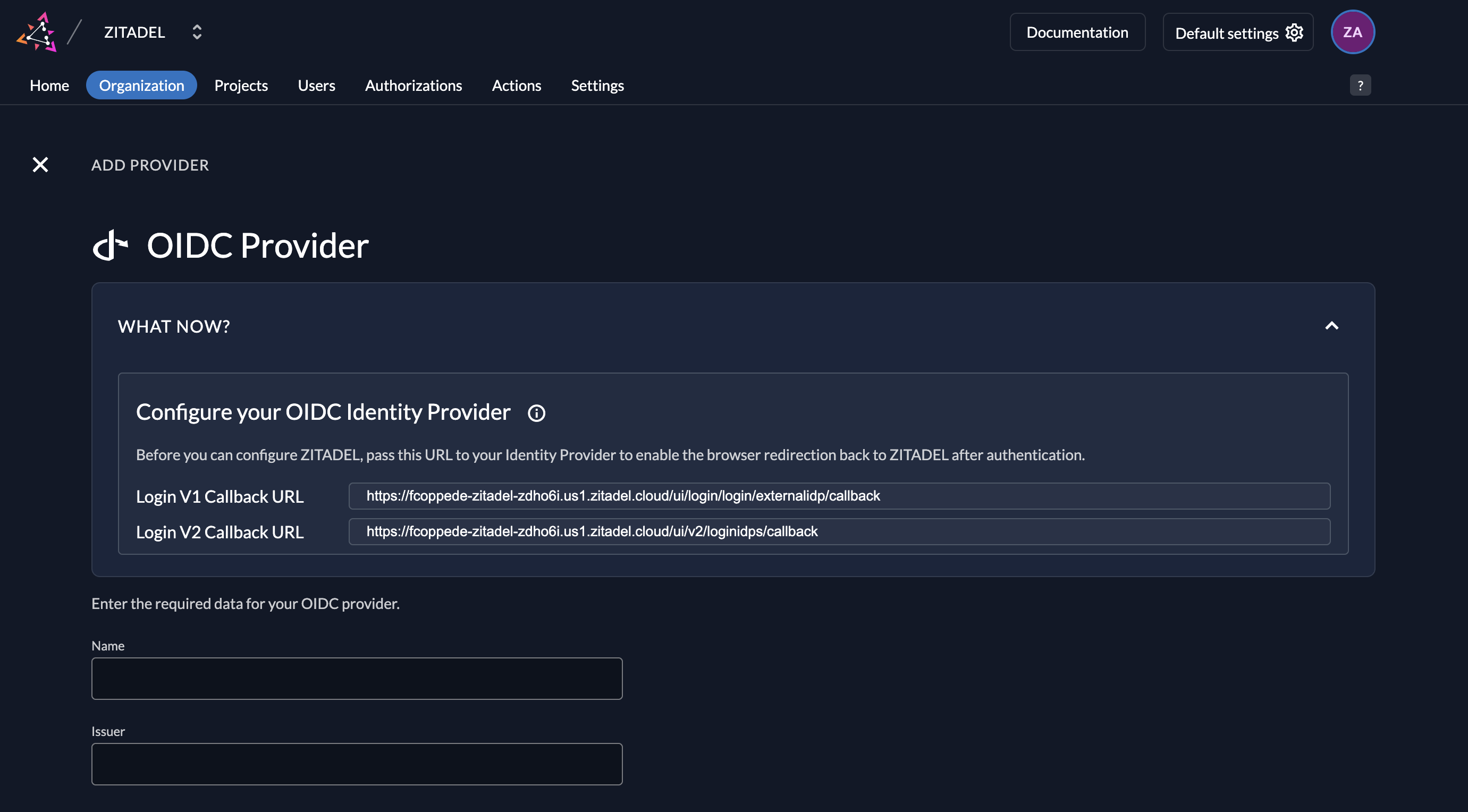
Click on the ZITADEL Callback URL to copy it to your clipboard.
You will have to paste it in the OKTA application later.
## OKTA Configuration
### Register a new client
1. Login to your OKTA Account and go to the applications list: `OKTA-DOMAIN/admin/apps/active^
2. Click on "Create App Integration" and choose "OIDC - OpenID Connect"
3. Choose Web application as Application type and give a name
4. [Paste the ZITADEL Callback URL you copied before](#open-the-generic-oidc-provider-template) to the Sign-in redirect URIs
5. Save the clientid and client secret

## ZITADEL Setup
1. Go back [to the Generic OIDC Provider template you opened before in ZITADEL](#open-the-generic-oidc-provider-template).
2. Add the [client ID and secret created before on your Web application](#register-a-new-client).
3. Give the provider a name, e.g. OKTA. This name will be displayed on the login screen button.
4. Add the issuer URL of your OKTA account, e.g. `https://trial-1925566.okta.com`
You can optionally configure the following settings.
A useful default will be filled if you don't change anything.
**Scopes**: The scopes define which scopes will be sent to the provider, `openid`, `profile`, and `email` are prefilled.
This information will be taken to create/update the user within ZITADEL.
ZITADEL ensures that at least the `openid`-scope is always sent.
**Use PKCE**: If enabled, the provider will use Proof Key for Code Exchange (PKCE) to secure the authorization code flow
in addition to the client secret.
### Activate IdP

### Ensure your Login Policy allows External IDPs
## Test the setup


## Optional: Add ZITADEL action to autofill userdata
```js reference
https://github.com/zitadel/actions/blob/main/examples/okta_identity_provider.js
```