---
title: Set up LinkedIn as an OAuth Identity Provider in ZITADEL
sidebar_label: LinkedIn generic OAuth
id: linkedin-oauth
---
import GeneralConfigDescription from './_general_config_description.mdx';
import Intro from './_intro.mdx';
import CustomLoginPolicy from './_custom_login_policy.mdx';
import IDPsOverview from './_idps_overview.mdx';
import GenericOAuth from './_generic_oauth.mdx';
import Activate from './_activate.mdx';
import PrefillAction from './_prefill_action.mdx';
import TestSetup from './_test_setup.mdx';
## LinkedIn Configuration
### Register a new client
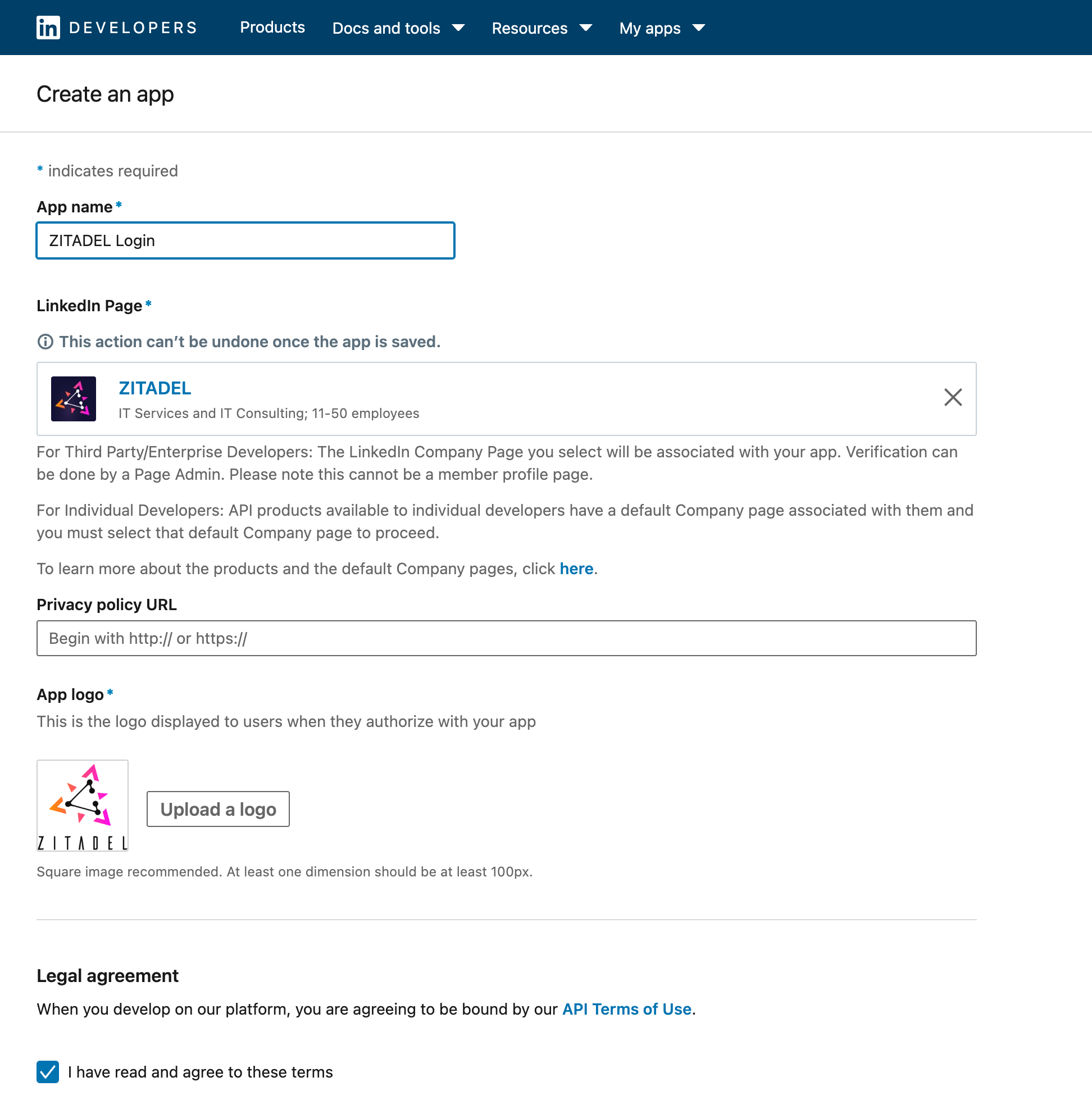
1. Go to the LinkedIn Developer console and create a new App: https://www.linkedin.com/developers/apps/new
2. Add your App Name, your Company Page and a Logo
3. Add "Sign In with LinkedIn using OpenID Connect" by clicking "Request access"
4. Go to the Auth Settings of the App and add the following URL to the "Authorized redirect URLs"
- Login V1: `${CUSTOM_DOMAIN}/ui/login/login/externalidp/callback`
- Example redirect url for the domain `https://acme.zitadel.cloud` would look like this: `https://acme.zitadel.cloud/ui/login/login/externalidp/callback`
- Login V2: `${CUSTOM_DOMAIN}/idps/callback`
- In this case the url would look like this: `https://acme.zitadel.cloud/idps/callback`
5. Verify the app as your company
6. In the Auth - OAuth 2.0 scopes section you should see `openid`, `profile` and `email` listed
7. Save Client ID and Primary Client Secret from the Application credentials
## ZITADEL Setup
### Add custom login policy
### Go to the IdP Providers Overview
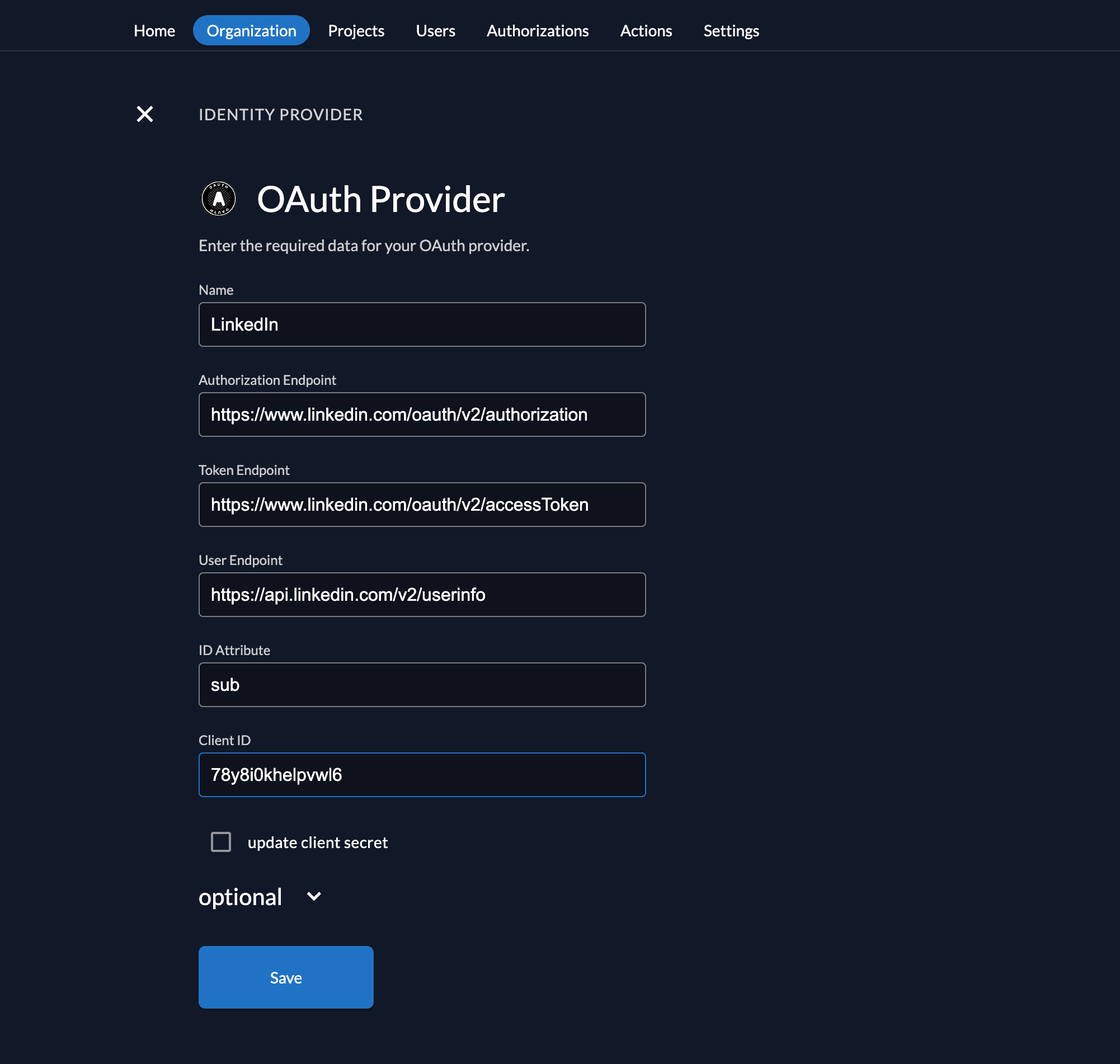
### Create a new Generic OAuth Provider
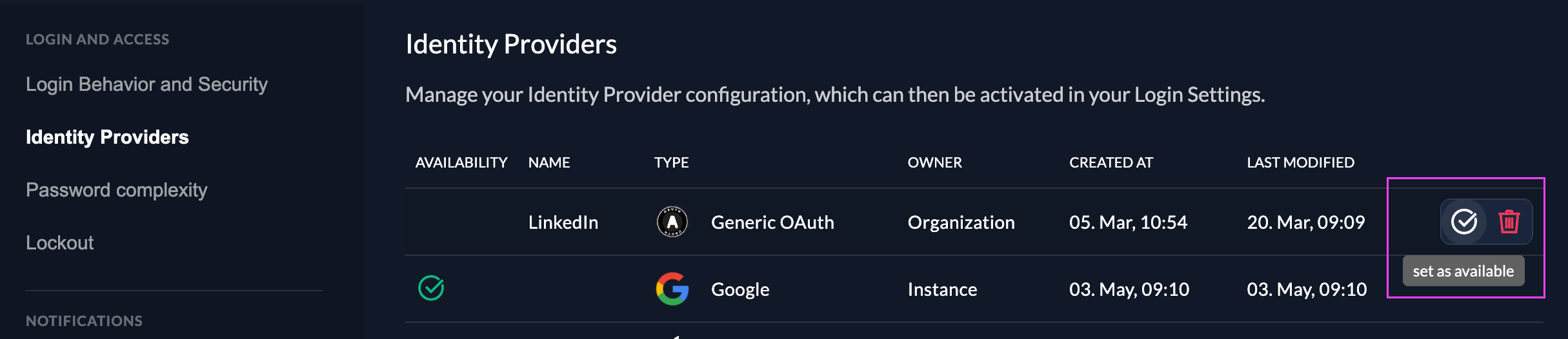
### Activate IdP
## Test the setup


## Optional: Add ZITADEL action to autofill userdata
```js reference
https://github.com/zitadel/actions/blob/main/examples/linkedin_identity_provider.js
```