---
title: Configure Keycloak as an Identity Provider in ZITADEL
sidebar_label: Keycloak generic OIDC
id: keycloak
---
import GeneralConfigDescription from './_general_config_description.mdx';
import Intro from './_intro.mdx';
import CustomLoginPolicy from './_custom_login_policy.mdx';
import IDPsOverview from './_idps_overview.mdx';
import Activate from './_activate.mdx';
import TestSetup from './_test_setup.mdx';
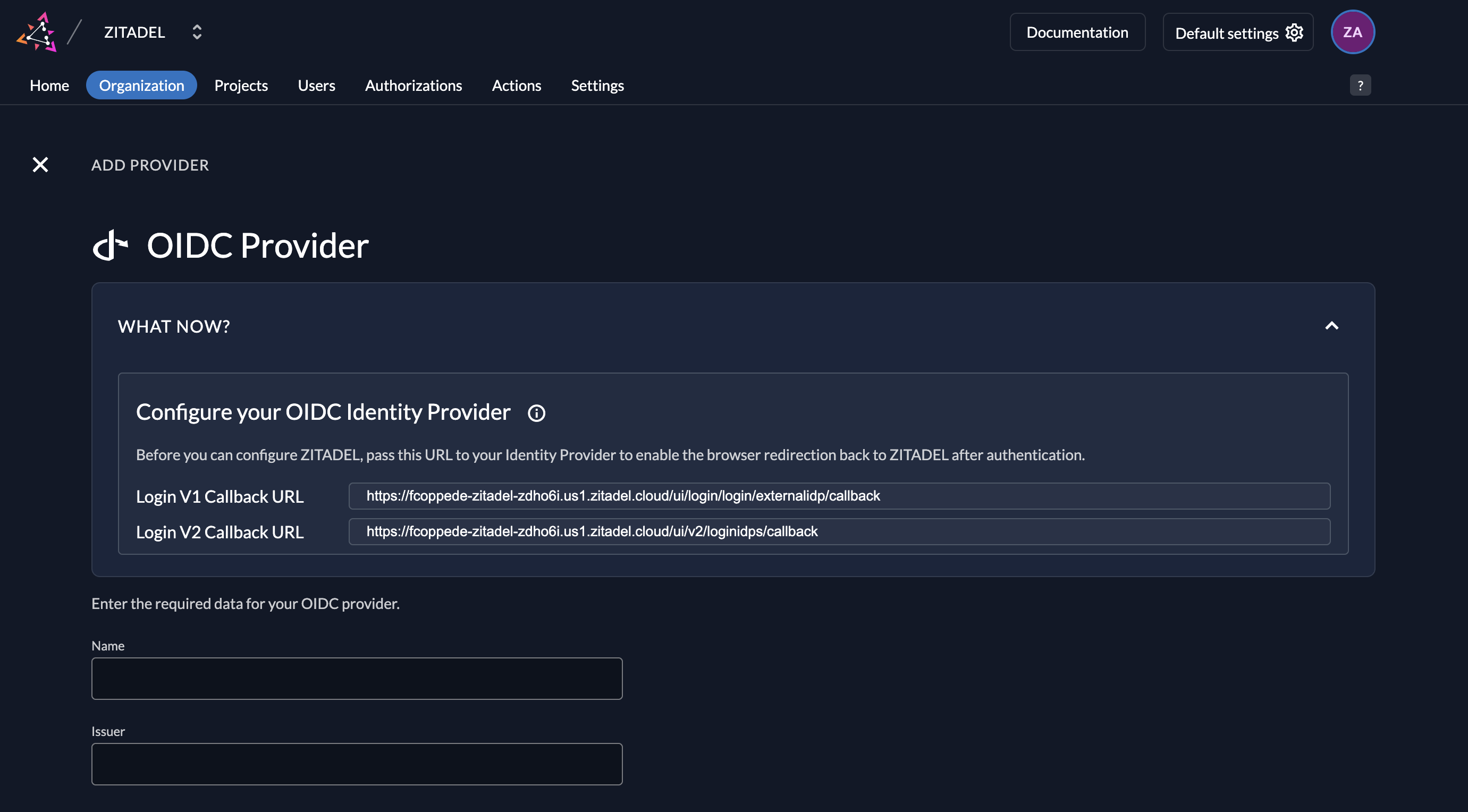
## Open the Generic OIDC Provider Template
Click on the ZITADEL Callback URL to copy it to your clipboard.
You will have to paste it in the Keycloak Client later.
## Keycloak Configuration
### Register a new client
1. Login to your Keycloak account and go to the clients list: `$KEYCLOAK-DOMAIN/auth/admin/$REALM/console/#/$REALM/clients`
2. Click on "Create Client"
3. Choose OpenID Connect as Client Type and give your client an ID
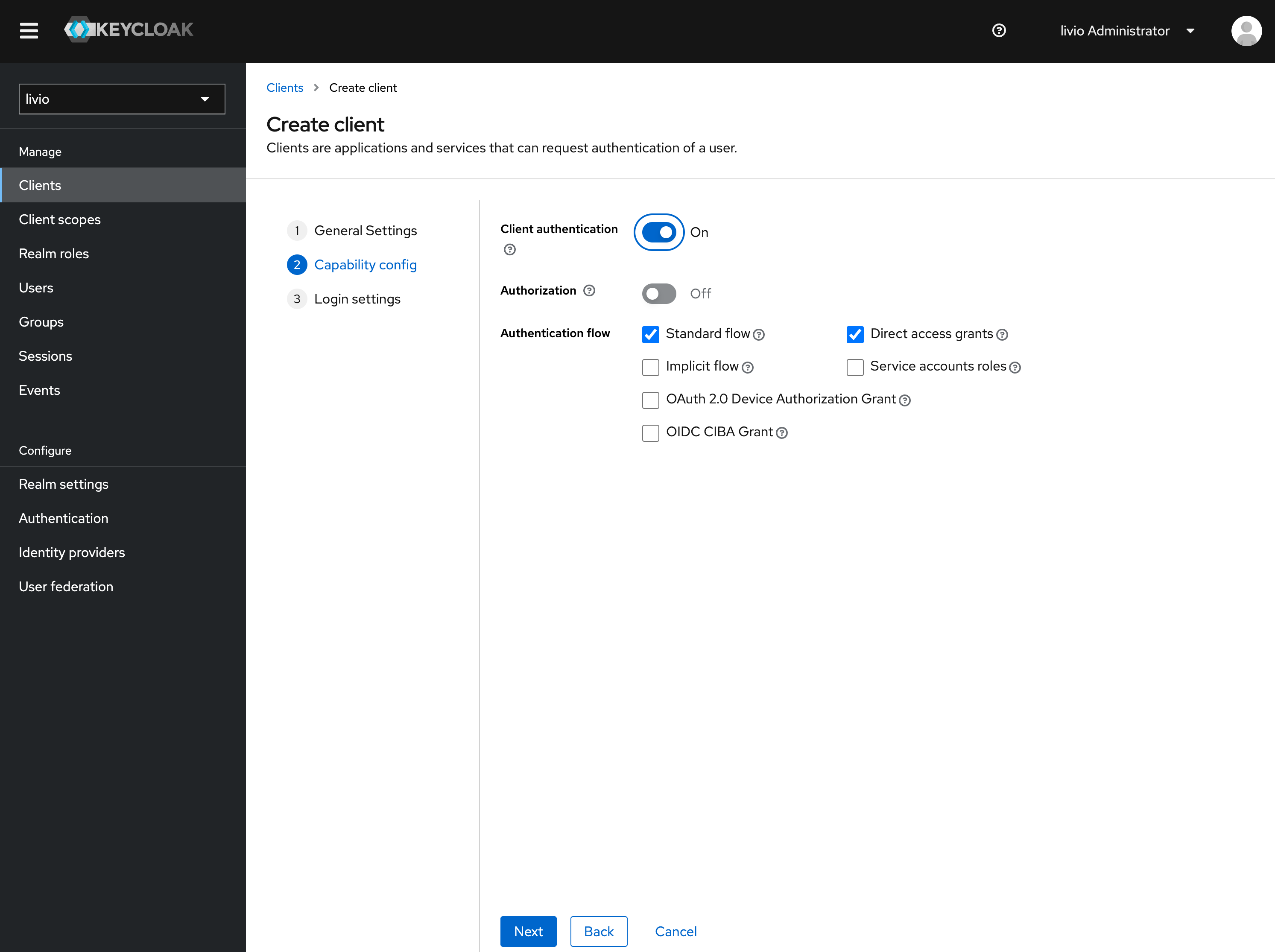
4. Enable Client authentication and the standard flow and direct access grants as authentication flow
5. [Paste the ZITADEL Callback URL you copied before](#open-the-generic-oidc-provider-template) to the redirect URIs
6. Go to the credentials tab and copy the secret

## ZITADEL settings
1. Go back [to the Generic OIDC Provider template you opened before in ZITADEL](#open-the-generic-oidc-provider-template).
2. Add the [client ID and secret created before on your Keycloak Client](#register-a-new-client).
3. Give the provider a name, e.g. Keycloak. This name will be displayed on the login screen button.
4. Add the issuer URL of your Keycloak realm with the path /auth/realms/$REALM, e.g. `https://lemur-0.cloud-iam.com/auth/realms/acme`
You can optionally configure the following settings.
A useful default will be filled if you don't change anything.
**Scopes**: The scopes define which scopes will be sent to the provider, `openid`, `profile`, and `email` are prefilled.
This information will be taken to create/update the user within ZITADEL.
ZITADEL ensures that at least the `openid`-scope is always sent.
**Use PKCE**: If enabled, the provider will use Proof Key for Code Exchange (PKCE) to secure the authorization code flow
in addition to the client secret.

### Activate IdP

### Ensure your Login Policy allows External IDPs
## Test the setup

